
The Advanced ‘Trace Logging Mode’ can track, trace and fix those niggling data corruption faults that sometimes arise from the following installation issues:
- Induced Alternating Current (AC)
- Earth Fault
- Earth Potential Difference
- Water Ingress
- Faulty Device
- Multi-Core Cable
The Trace Logging option has three different operating modes: Standard, Standard+ and Diagnostic, which you can enable through the panel menu options by navigating to the ‘Commission > Setup’ menu identified below.
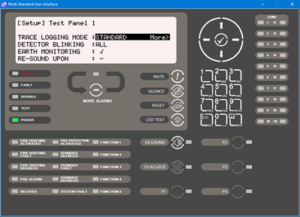
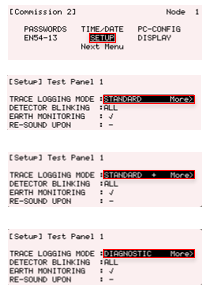
A panel typically uses the ‘Standard’ event logging mode, but enabling the Standard+ or Diagnostic modes will let you see any underlying/background transitory activity in more detail and help you to diagnose problems more quickly and easily on site.