Do you want confirmation that your programming is correct when using our configuration software?
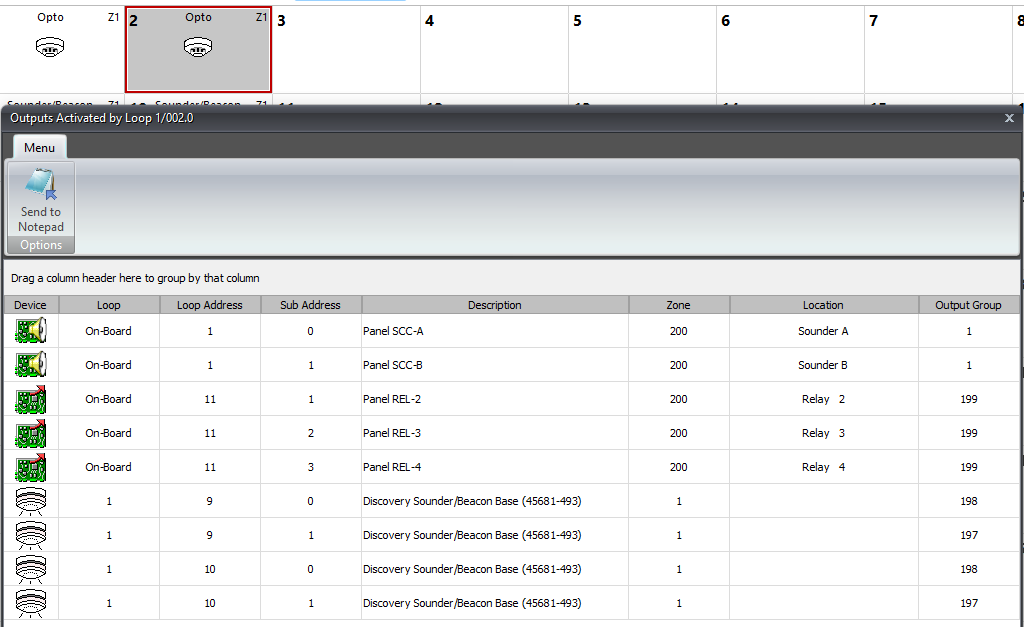
If so, you can use the “Cause and Effect Check” option that's built into our programming software. This allows you to confirm the outcome of an individual device activation. The results displayed will vary depending whether an input or output is selected as the source object.
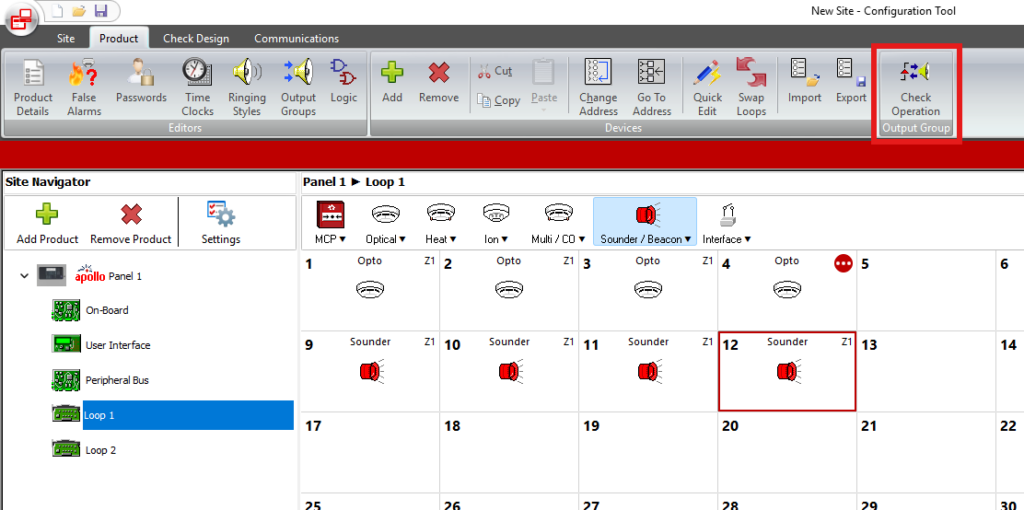
Outputs driven by inputs
Once in the "Check Operation” option, you can confirm that the output programming is correct by selecting a loop device from the centre window. A new window will automatically display the input event results that have been assigned to drive that device, this is determined by the output group programming.
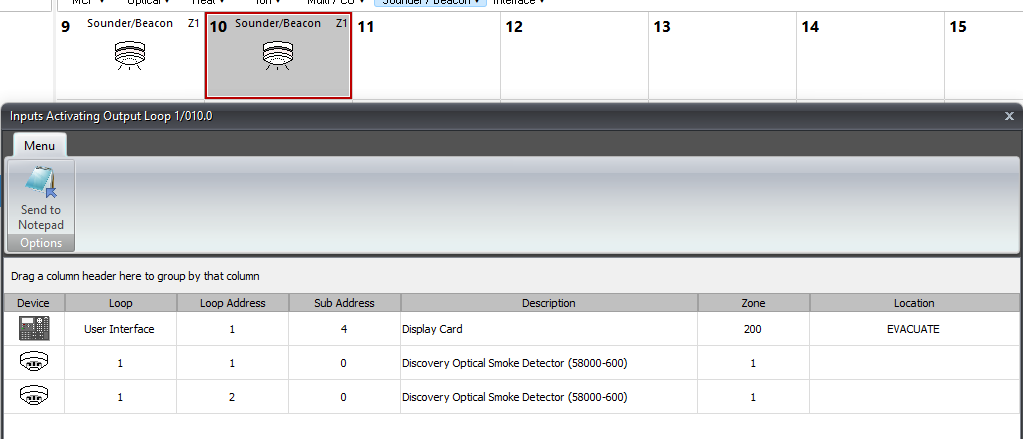
Inputs driving outputs
The same applies for inputs driving outputs. These can be confirmed by selecting a loop input device from the centre selection window, with results for the output device that will operate shown in the a new window.